Everything you can do
and how to do it
Unlimited everything, your own brand, and the right to resell. Written for someone who has never opened it before — with a screenshot of every screen.
🚀Getting started
Three things before anything else: sign in, teach it about your business, put it on your website.
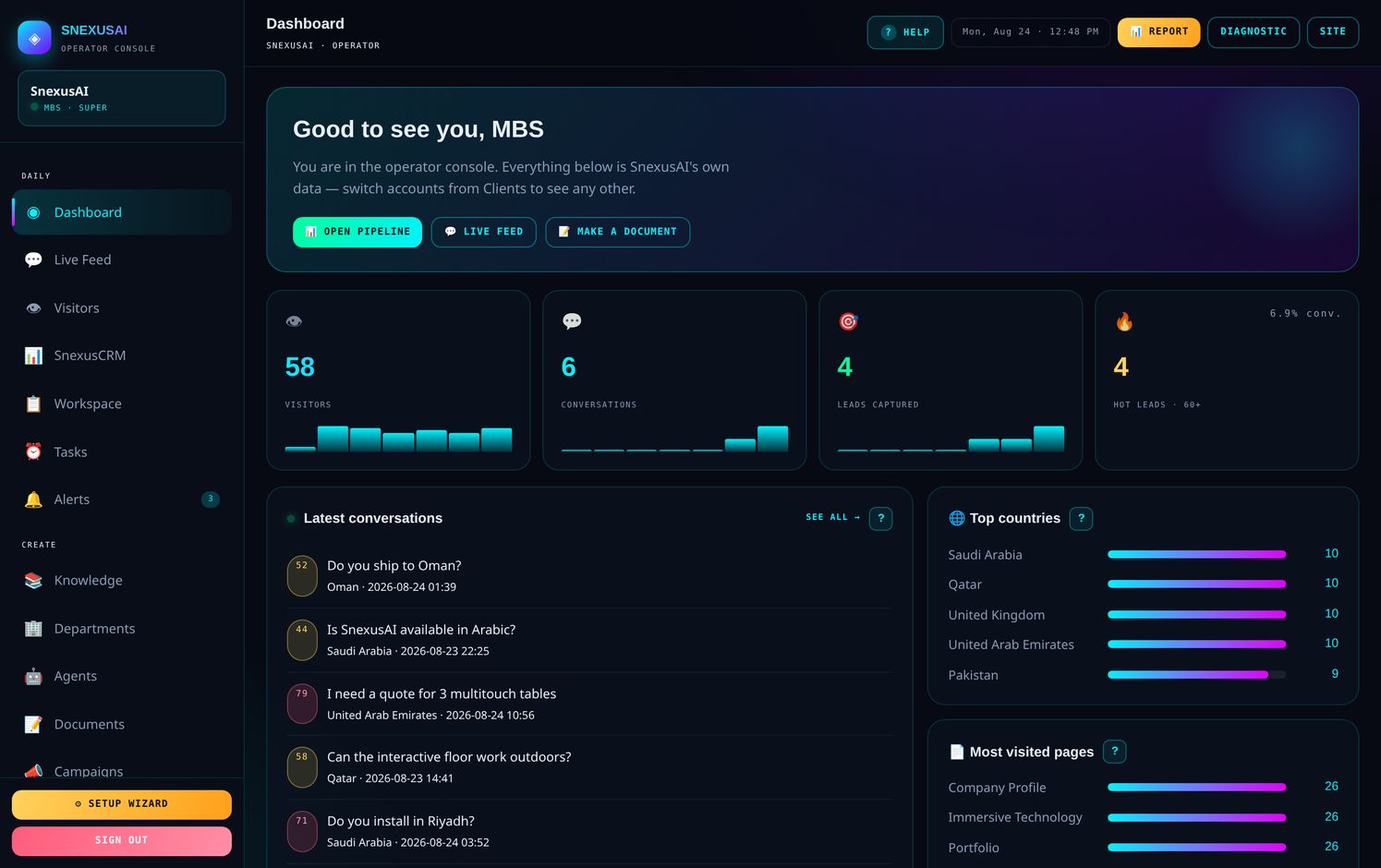
What you are looking at
| Your plan | Included |
|---|---|
| Enterprise | Unlimited everything, your own brand, and the right to resell. |
| Price | Custom annual agreement |
| Team logins | Unlimited |
| Conversations | Unlimited per month |
📚Teach it about your business
This one file decides how good every answer is. Nothing else matters as much.
The assistant only knows what you write here. It will not invent a price, a delivery time or a product it has not been told about — which is exactly what you want, but it means thin knowledge gives thin answers.
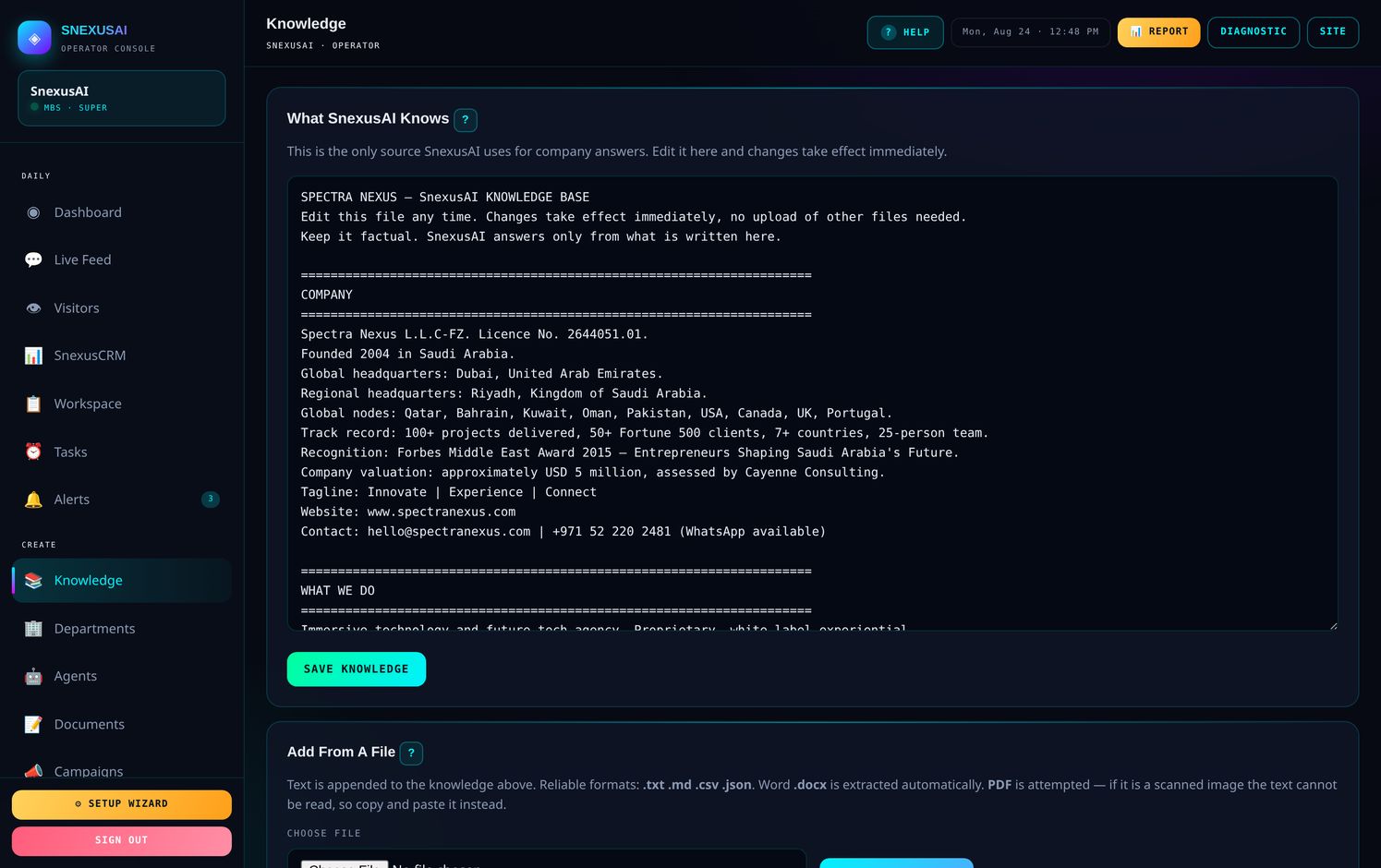
How to write it
- Plain headings, facts underneath — not marketing paragraphs
- Short lines beat long ones; it repeats what it reads
- Remove old prices the same day, or it will quote them as current
- Write what you do not do, so it stops offering it
- Never put passwords, codes or bank details in it
Content gaps
Underneath the file you will find every question the assistant could not answer. That list is your to-do — each one is a real person who asked something and did not get a proper reply.
💾Put it on your website
One line of code, pasted once. It then works on every page of your site.
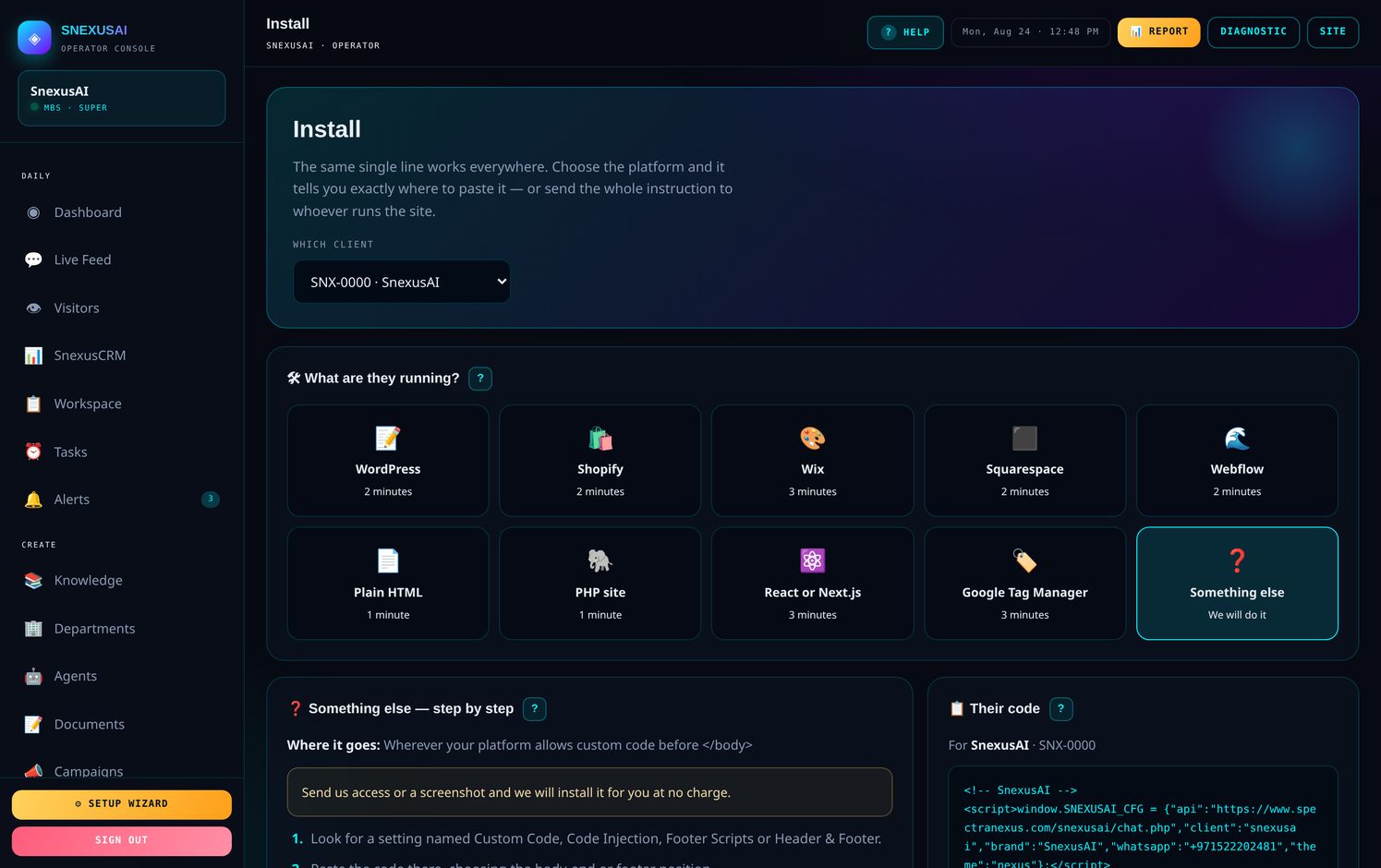
Open Install. It guesses your platform from your website address and shows step-by-step instructions for that platform. If somebody else runs your website, press SEND FULL INSTRUCTIONS and the whole thing goes to them on WhatsApp — steps, the code, everything.
Where the code goes on each platform
| Platform | Where | Time |
|---|---|---|
| WordPress | Install the free WPCode plugin → Header & Footer → Footer box | 2 min |
| Shopify | Online Store → Themes → Edit code → theme.liquid, before </body> | 2 min |
| Wix | Settings → Custom Code → Body – end, all pages | 3 min |
| Squarespace | Settings → Advanced → Code Injection → Footer | 2 min |
| Webflow | Project Settings → Custom Code → Footer Code, then Publish | 2 min |
| Plain HTML | Every page, just above </body> | 1 min |
| PHP site | Your shared footer.php — one paste covers the site | 1 min |
| React / Next.js | public/index.html, or next/script in your layout | 3 min |
| Google Tag Manager | New Tag → Custom HTML → trigger All Pages | 3 min |
Beyond your website
💬Live Feed
Every conversation as it happens, scored so you know who is worth a phone call.
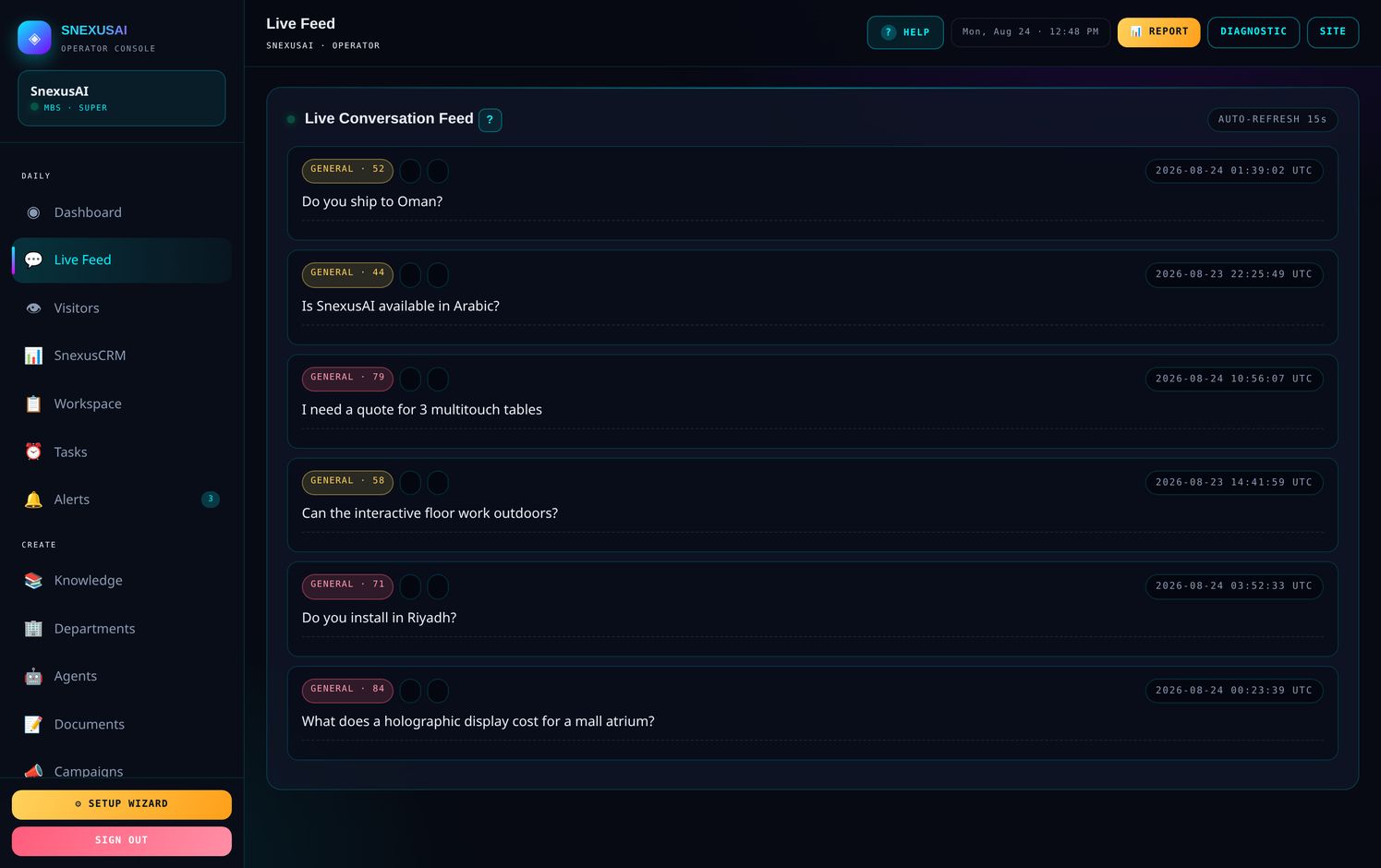
The number beside each conversation is an intent score out of 100. It reads what the person asked, not just how long they stayed.
| Score | What it means | What to do |
|---|---|---|
| 60 and above | Serious buyer — asked about price, investment, or wanted to talk | Call today |
| 30 to 59 | Genuine interest, still looking around | Follow up this week |
| Under 30 | General curiosity | Leave it |
| Red | Medical, legal, financial, or a complaint | A person should reply |
👁️Visitors
Everyone on your website, whether or not they said a word.
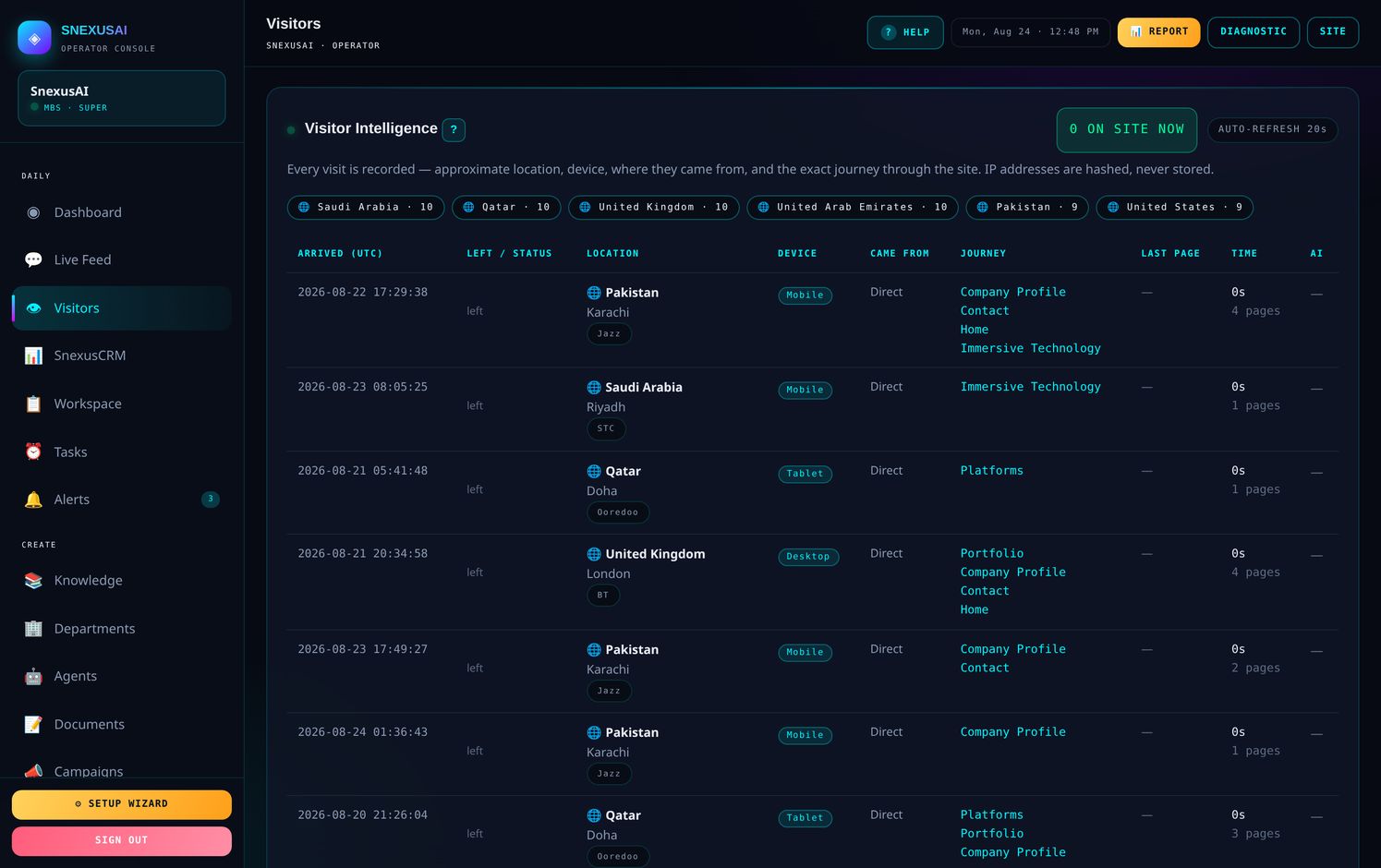
- Country, city, device and network
- Every page in the order they read it, with seconds spent on each
- A green dot means they are browsing right now
- IP addresses are hashed, never stored
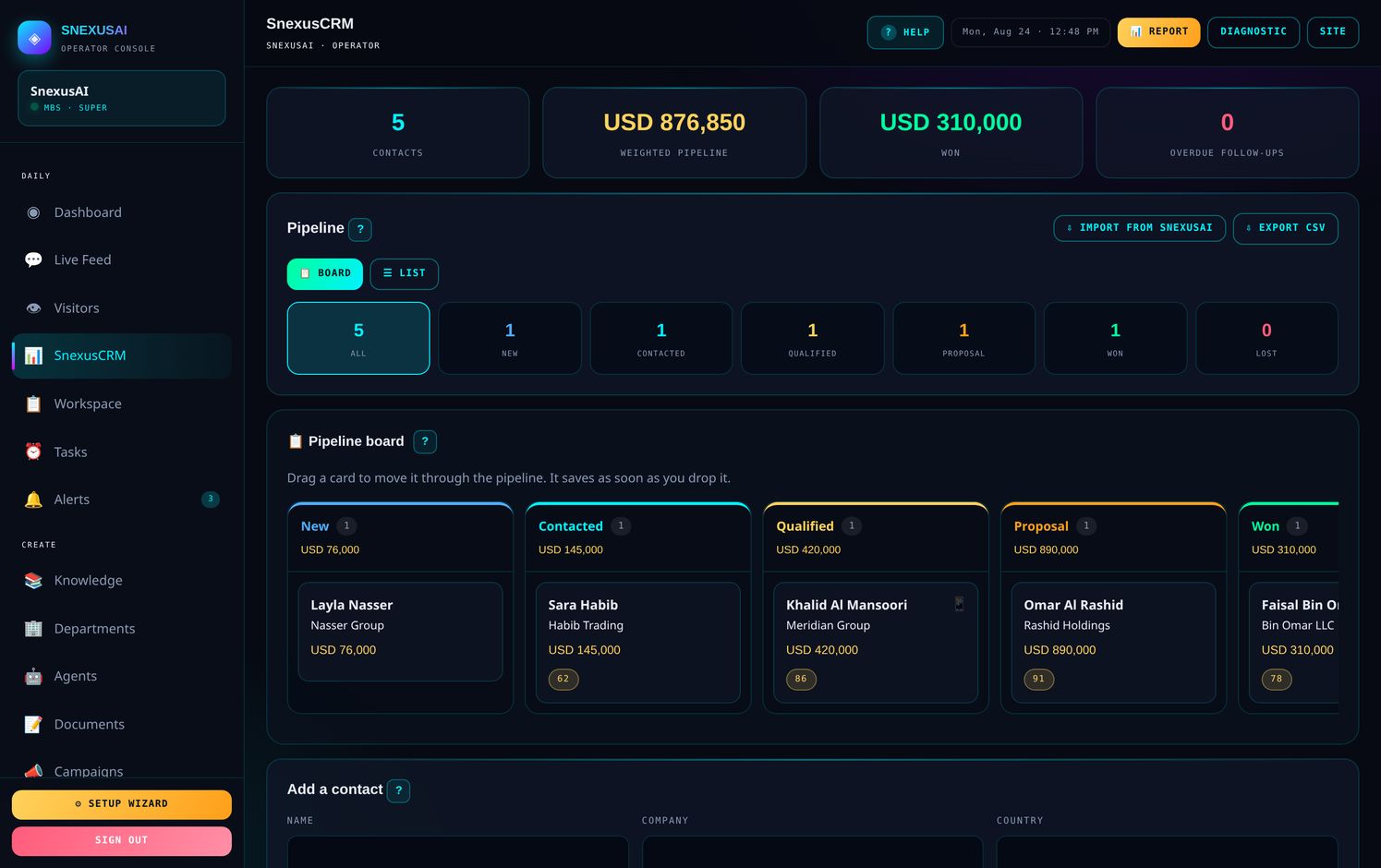
📊SnexusCRM
Your sales pipeline. Drag a card, it saves.
📄Reports
What happened, what it means, and what to do next.
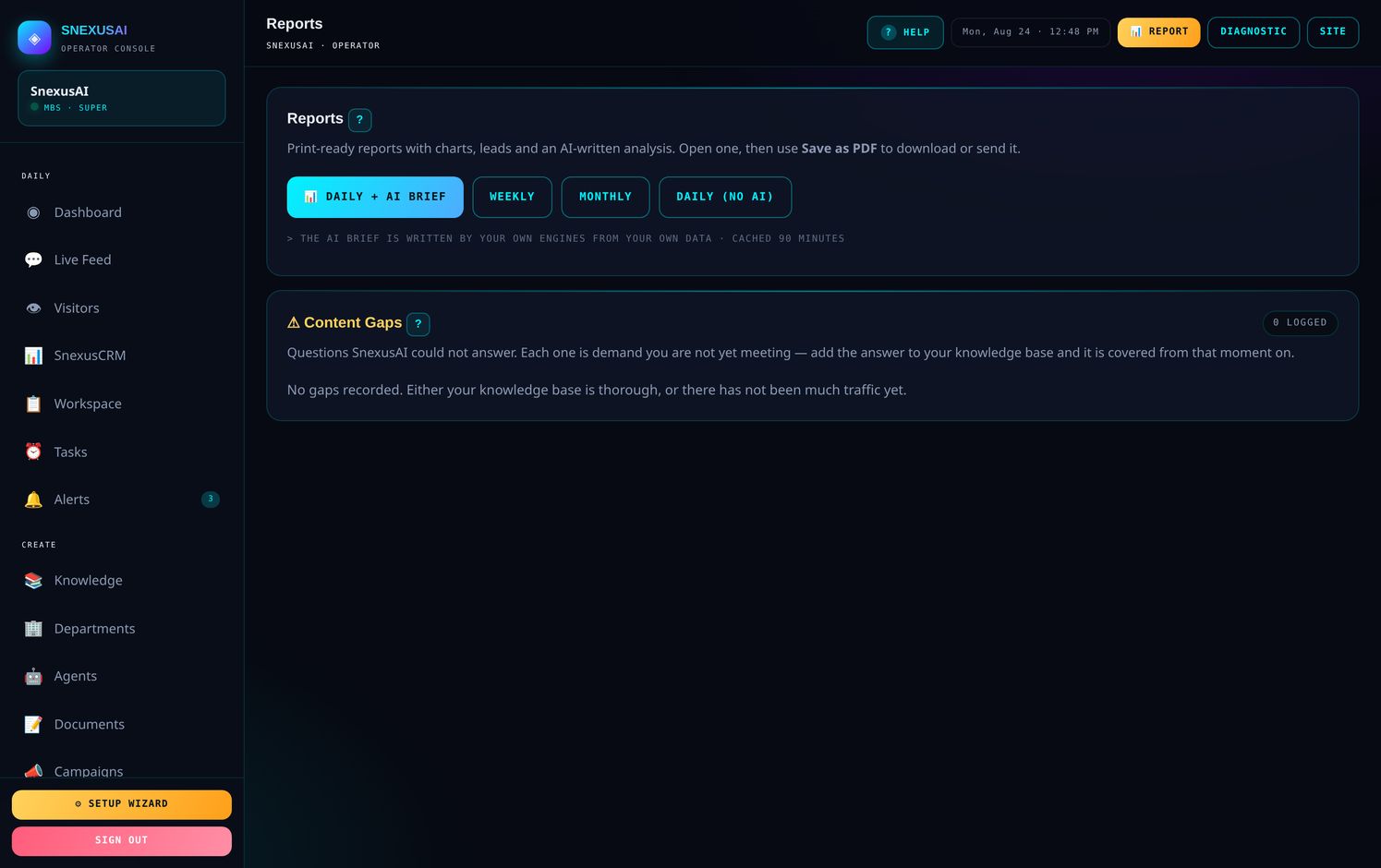
- Daily, weekly or monthly
- A written analysis, not just numbers
- Save as PDF straight from your browser
- Send it to anyone who needs it
📣Campaigns
A campaign built from your own traffic, not a generic template.
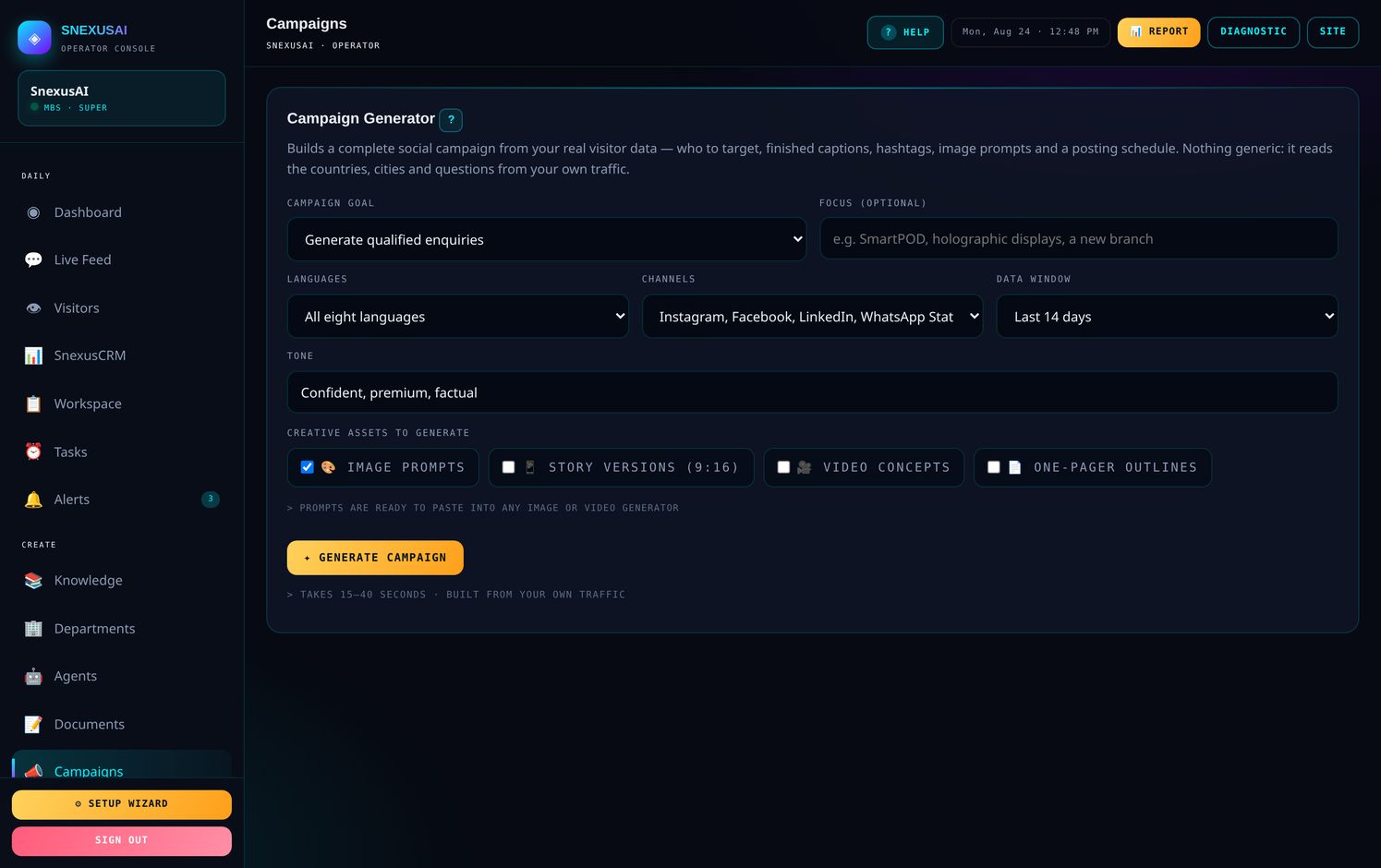
- Reads your real countries, pages and questions
- Five finished posts with captions, hashtags and posting times
- Optional image prompts and story versions
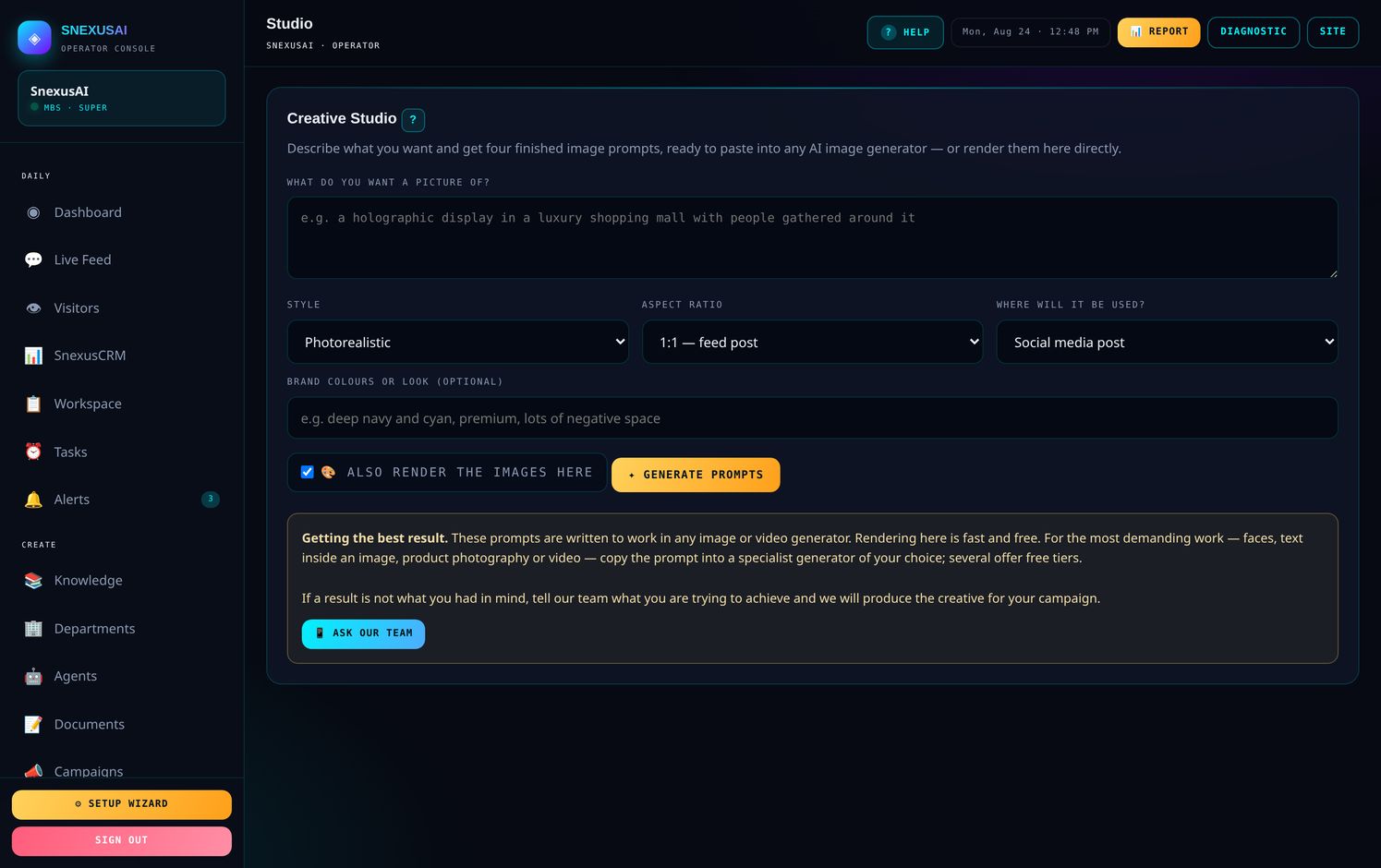
🎨Creative Studio
Four finished image prompts from one idea.
🤖Agents
Seven specialists sharing one knowledge base.
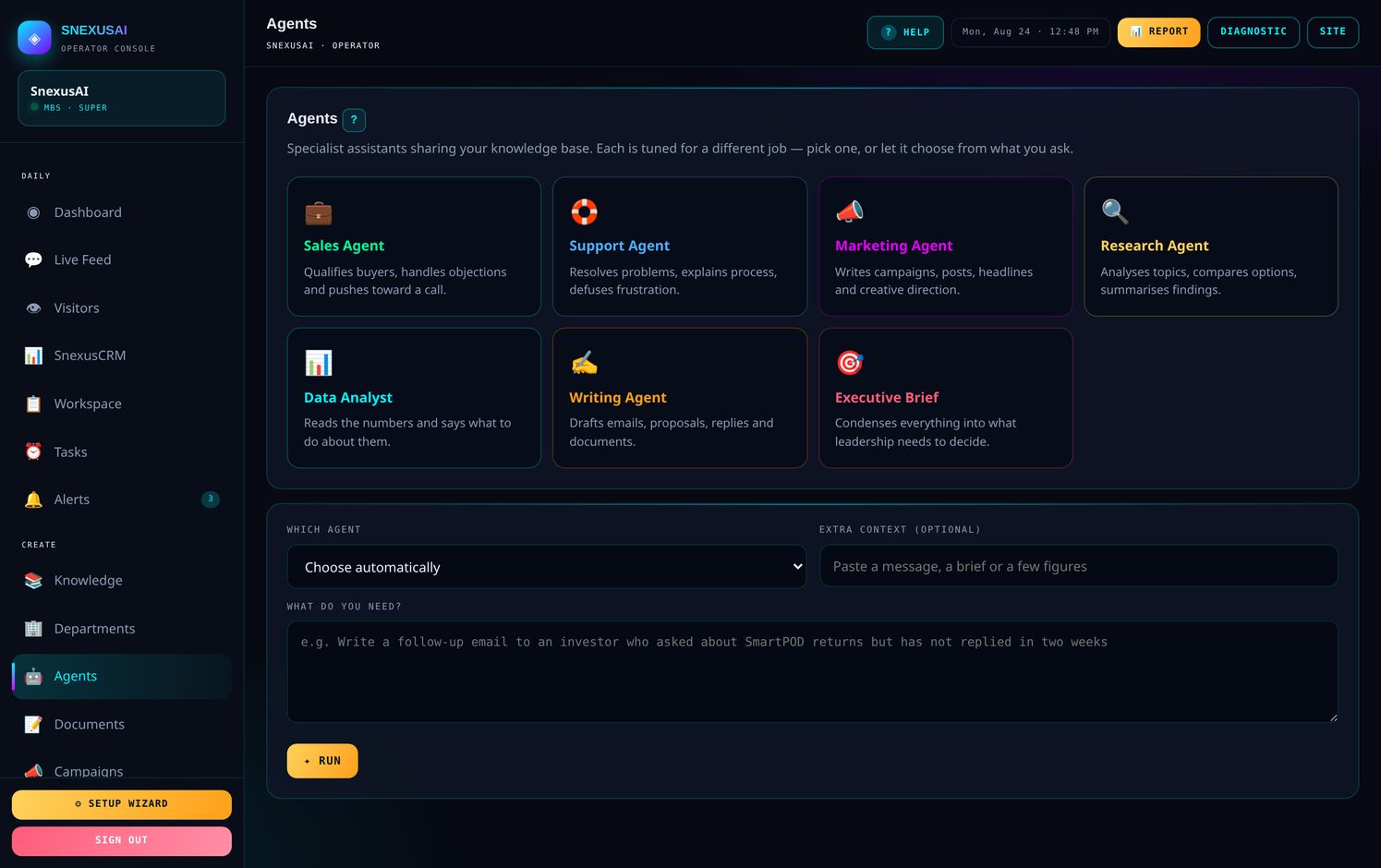
Sales, Support, Marketing, Research, Data Analyst, Writing and Executive Brief. It picks the right one from how you phrase the question.
📝Document Maker
Real Word, PowerPoint and Excel files. Not text you have to reformat.
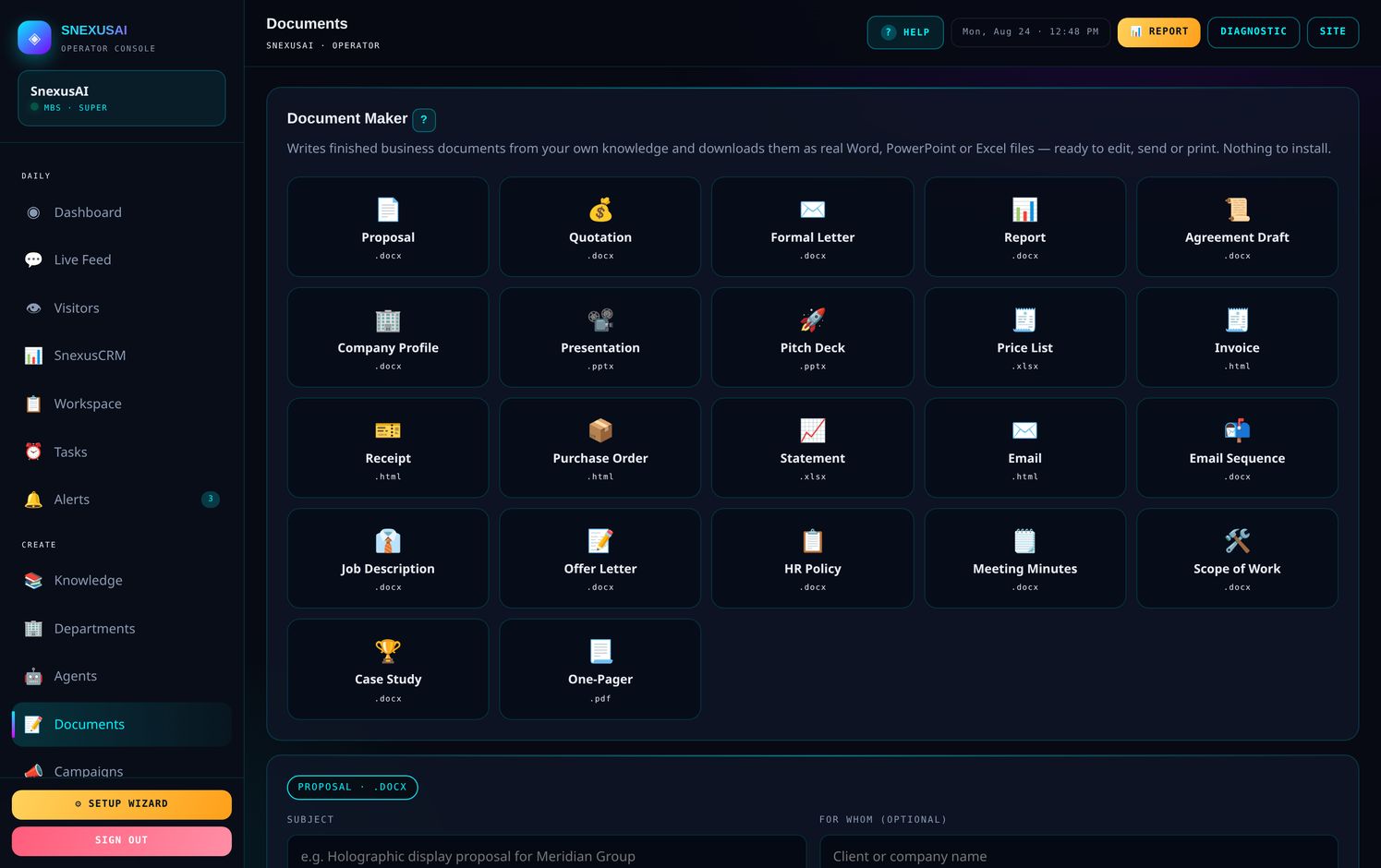
- Proposals, quotations, invoices, purchase orders, statements
- Company profiles, pitch decks, one-pagers, case studies
- Job descriptions, offer letters, HR policies
- Meeting minutes, scopes of work, email sequences
⏰Tasks & Reminders
Nothing falls through.
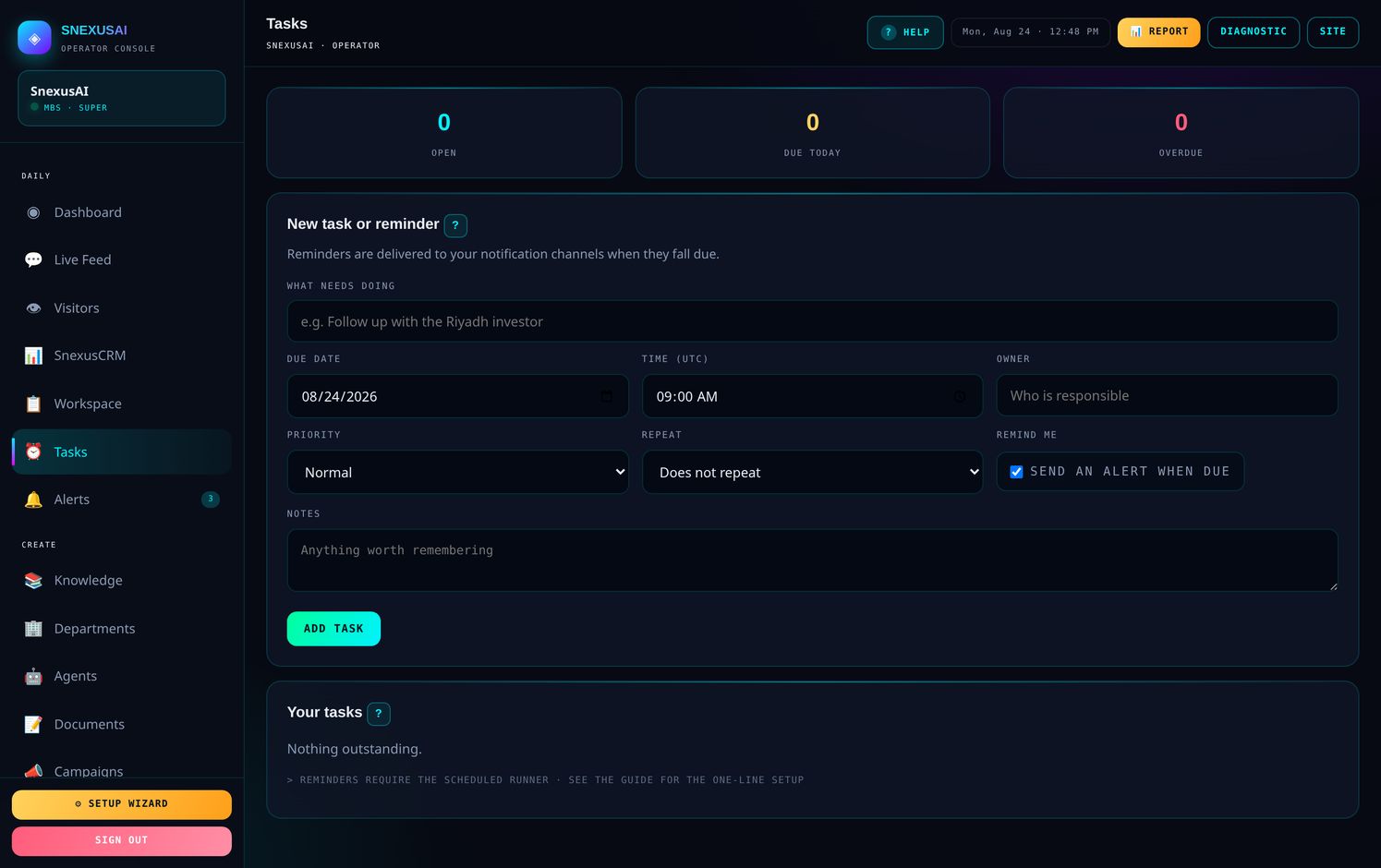
- Due dates, owners and priorities
- Daily, weekly or monthly repeats
- Reminders dispatch on their own — no setup needed
- Overdue items show a red badge in the sidebar
🧩Widget Builder
Design the assistant your visitors actually see.
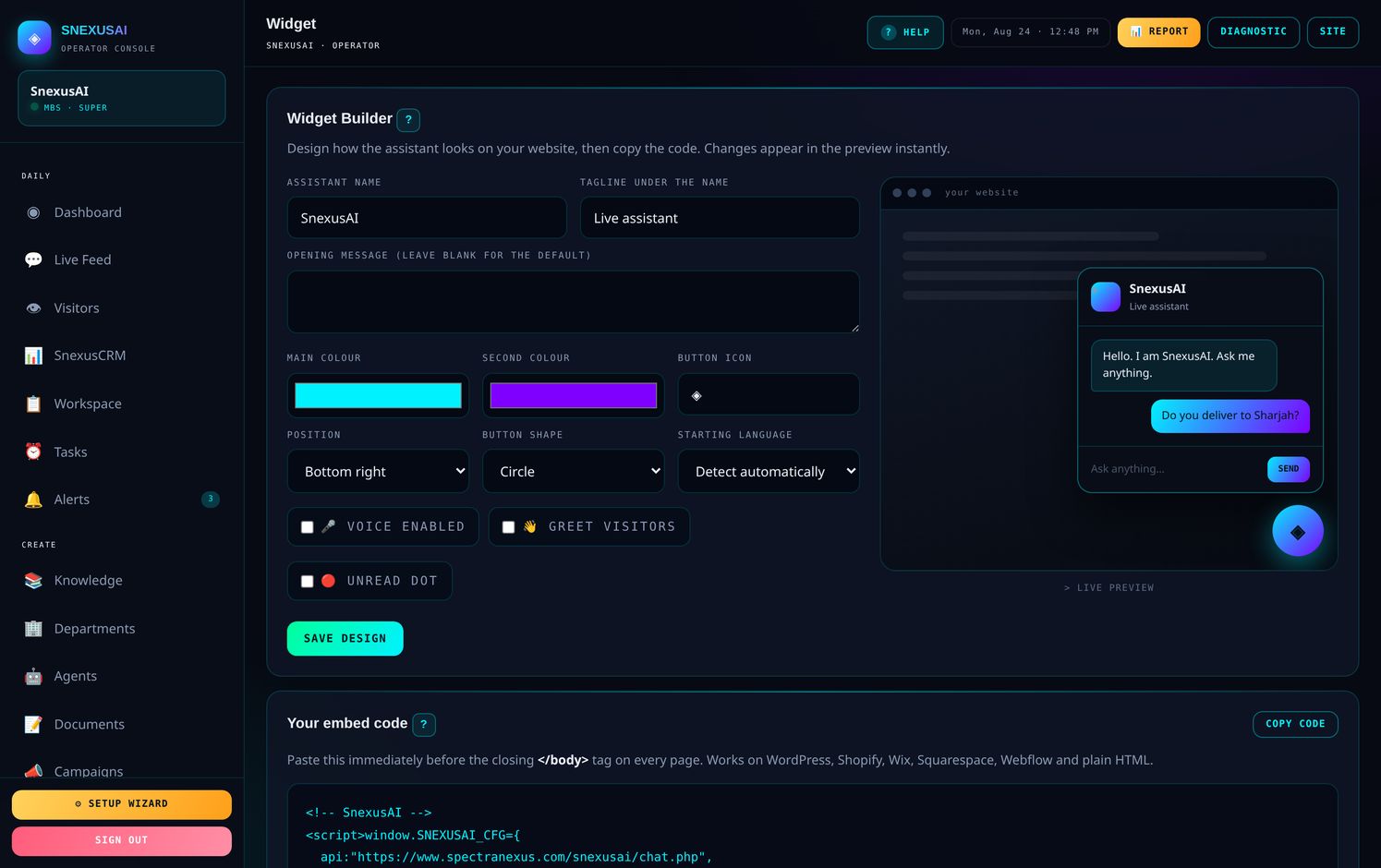
- Eight colour presets, four shapes, any corner
- Voice and proactive greeting toggles
- Live preview as you change it
- Generates a paste-ready snippet
📋Workspace
Your team's own boards. Not leads — the actual work.
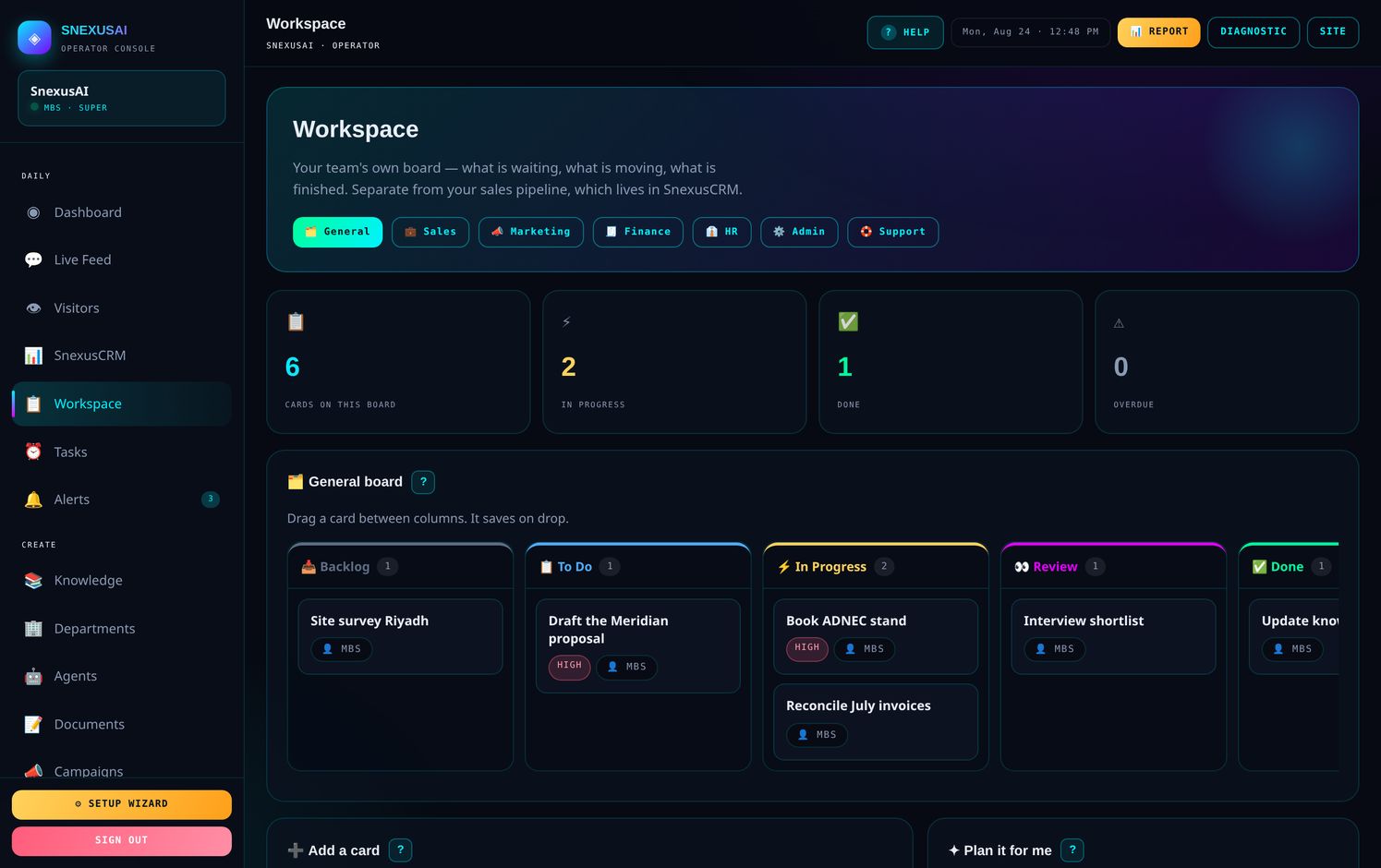
Seven boards: General, Sales, Marketing, Finance, HR, Admin and Support. Five columns each, from Backlog through to Done.
- Drag cards between columns, exactly like the CRM
- Each card holds an owner, due date, priority, labels and a comment thread
- Overdue cards turn red
- Plan it for me — describe a goal and it writes the cards for you
🏢AI Departments
Eight departments that already know your business — and produce finished work.
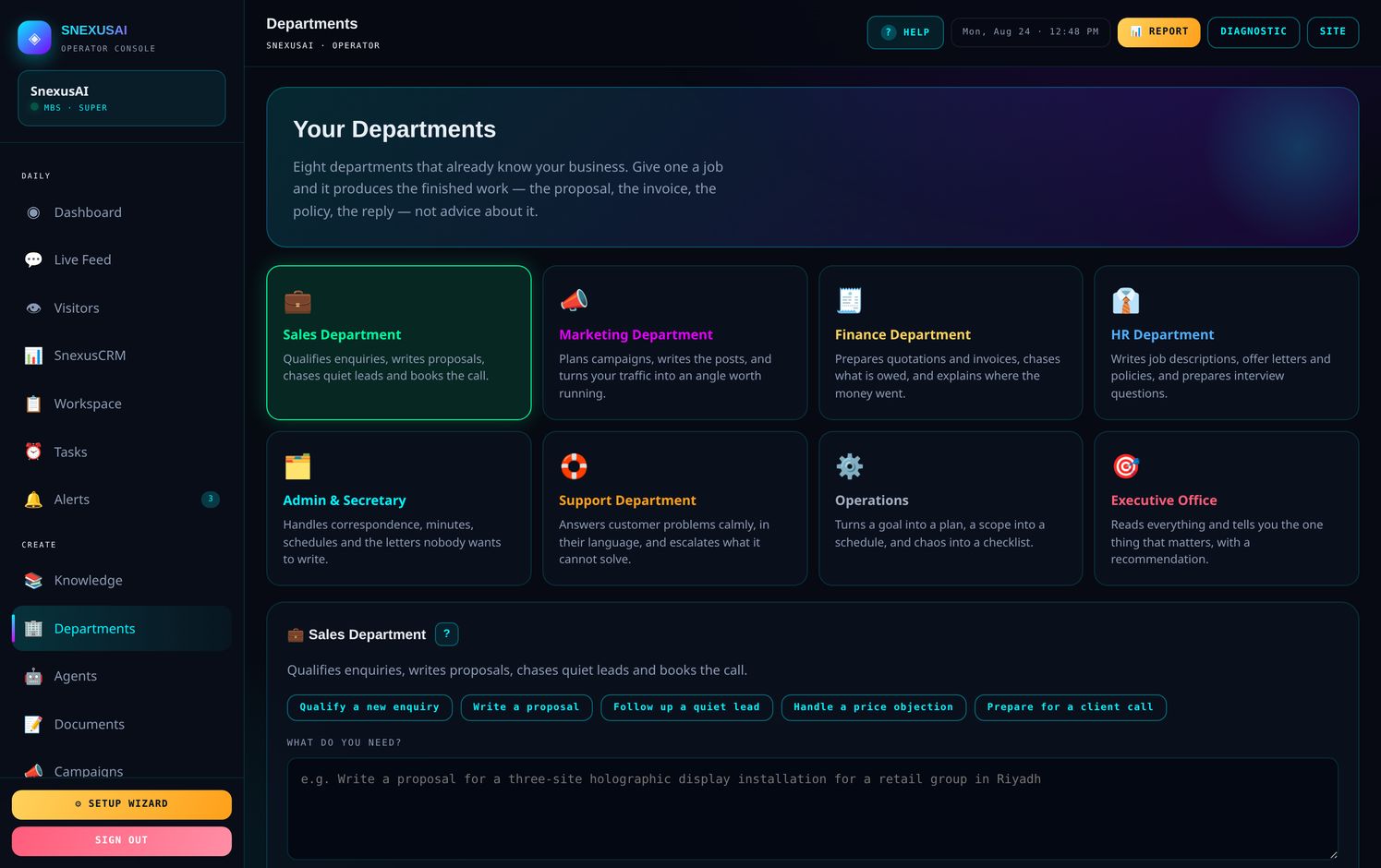
This is not a chatbot that gives advice. Ask the Finance department for a quotation and you get a quotation, laid out with a total, ready to send.
🔔Smart Alerts
Rules that watch your account and act on their own.
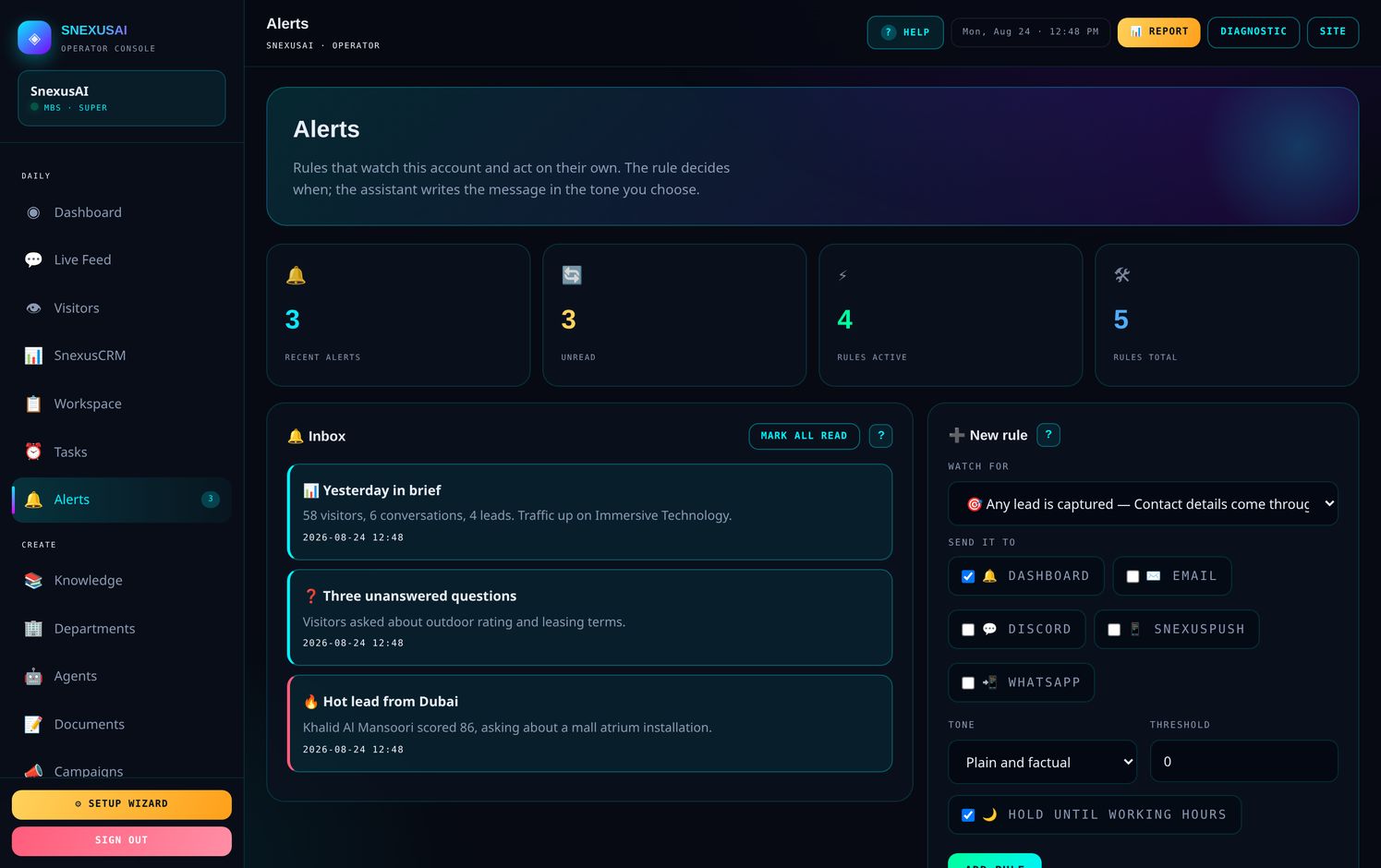
Five sensible rules are already switched on. The one that matters most is hot lead — when somebody scores above 60, you hear about it straight away.
What it can watch for
- A hot lead arrives
- Any lead is captured
- A question goes unanswered
- A sensitive topic comes up
- A quiet day
- An unusually busy day
- A follow-up falls due
- A lead goes cold
- Every morning, a written brief
Where it sends
🔗Connect
Send every lead straight into whatever you already use.
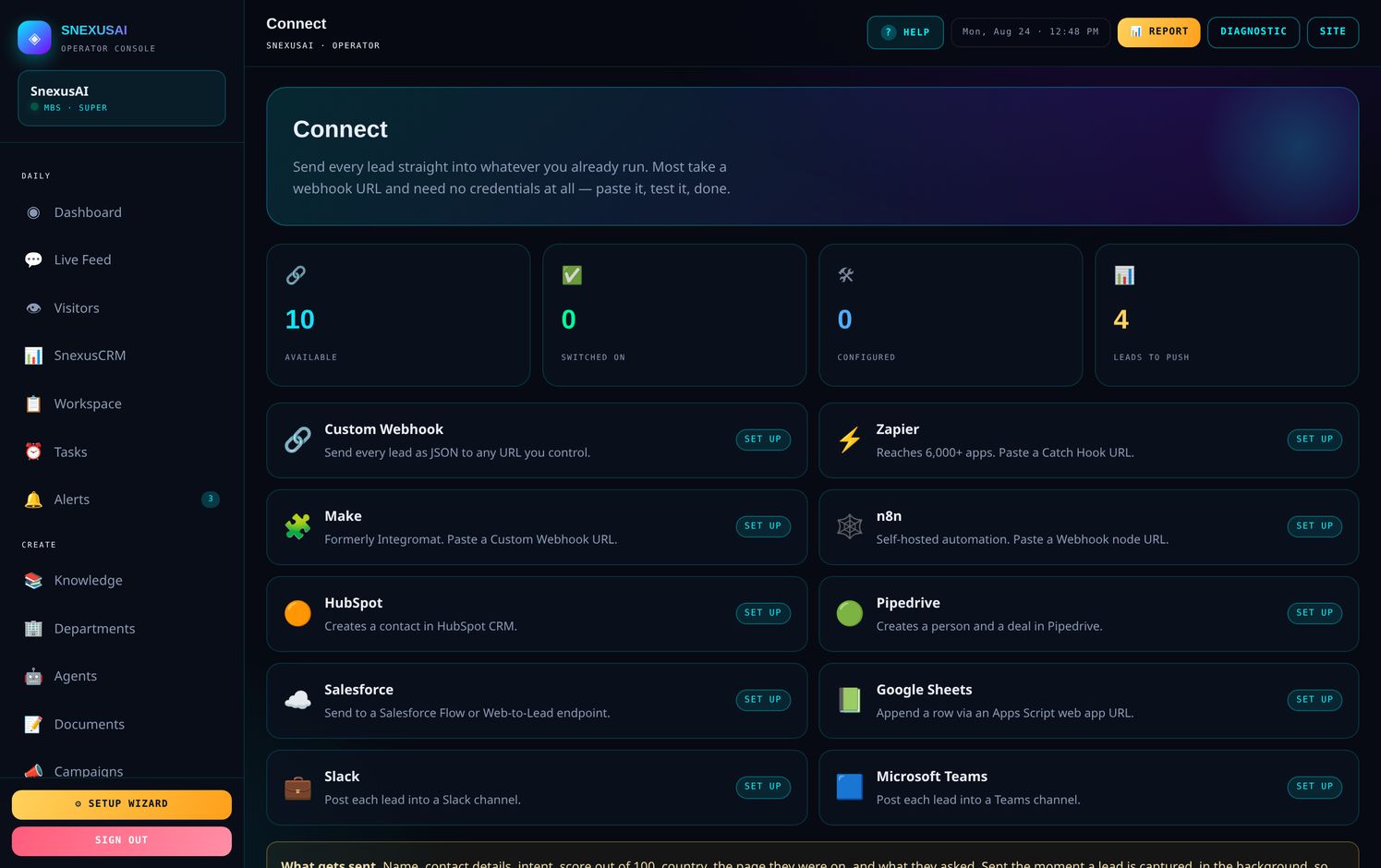
| Service | What you need |
|---|---|
| Zapier, Make, n8n | A webhook URL. No credentials. |
| Slack, Teams | An incoming webhook URL. |
| Google Sheets | An Apps Script web app URL. |
| HubSpot | A Private App token. |
| Pipedrive | An API token and your company domain. |
| Anything else | Custom webhook — we send clean JSON. |
🏢Client Records
The full commercial file on every account you run.
- A client number issued automatically — SNX-0001, SNX-0002 and so on
- Company, contact, industry, country, address and tax number
- Subscription: plan, fee, cycle, renewal date, days left, annual value
- Private notes the client never sees
- Search by name, number, city, country, industry, email, phone or note
- Open any client's dashboard to see exactly what they see
🧾Invoices
Raise, chase, and pause.
🏪My Clients — reselling
Sign up your own clients, under your own brand.
You set their price. You own the relationship. They see your brand, never ours.
| You | SnexusAI |
|---|---|
| Set the price your client pays | Charges you USD 100 per live account |
| Own the relationship | Stays invisible |
| Keep everything above our fee | Provides the platform and support |
| Issue and manage their dashboards | Keeps it running |
⭐Getting more out of it
Five habits that separate the accounts that thrive from the ones that drift.
When something is not working
| Problem | Almost always |
|---|---|
| It gave a wrong answer | The knowledge file is thin or out of date. Fix it there. |
| Nobody is using it | Check the code is on every page — open Install. |
| Too many alerts | Open Alerts and raise the threshold or narrow the rules. |
| Someone left the company | Remove their login in Team Access straight away. |
Stuck on anything?
Press 💬 SUPPORT in your dashboard sidebar and it reaches us with your account details already attached. Or message us directly.